
Initial Message
The first time you send a text to someone in your database, Command adds the following text to communicate the option recipients have to stop receiving messages:
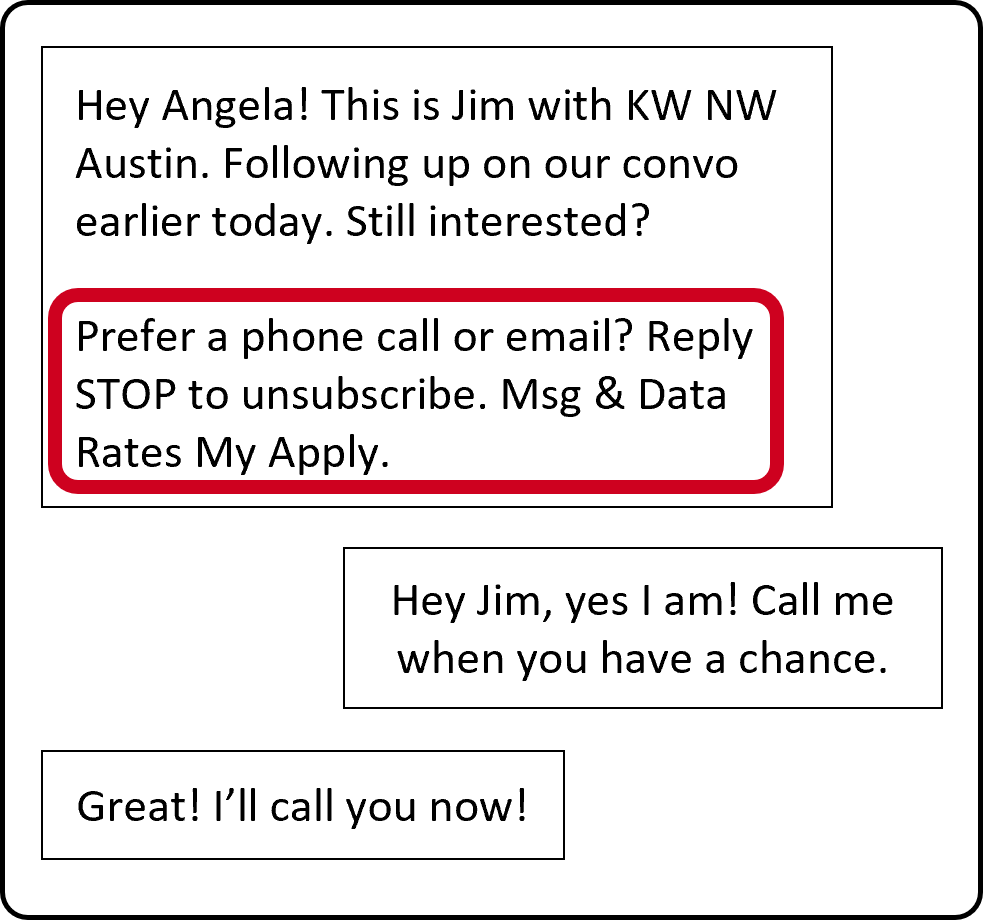
No credits are discounted from your account for the additional text.
Opt Out
As you are sending texts through Command, whether through SmartPlans, bulk texts to your leads/contacts, or individual texts, the recipients will be able to opt out of receiving texts from your by responding with the following keywords (capitalization does not matter with these unsubscribe replies):
- Stop
- Stopall
- Unsubscribe
- Cancel
- End
- Quit
Only single-word messages will trigger the block. This will put their number on a Twilio list, and you will not be able to send them texts, using your Twilio account, even if you add them to a separate SmartPlan.
When they unsubscribe, the opt out message will display in the Contact Timeline, so you will be able to see that they have unsubscribed.
|
If you notice that they tried to unsubscribe by replying with "please stop" or something similar that is not in the list above, send them a text telling them to use one of the terms above (there is no way for you to do this for them, they must type in one of the words above). |
Opt In
If a client has unsubscribed, but wants to start receiving texts from you again, down the road, they can send a text to your Twilio number with one of the following keywords:
- Start
- Yes
- Unstop
You will receive the message that they are resubscribed, and they will start receiving texts from your Twilio number going forward.
|
Keep in mind that one Twilio credit will be charged for the Opt Out and Opt In keyword incoming messages. |
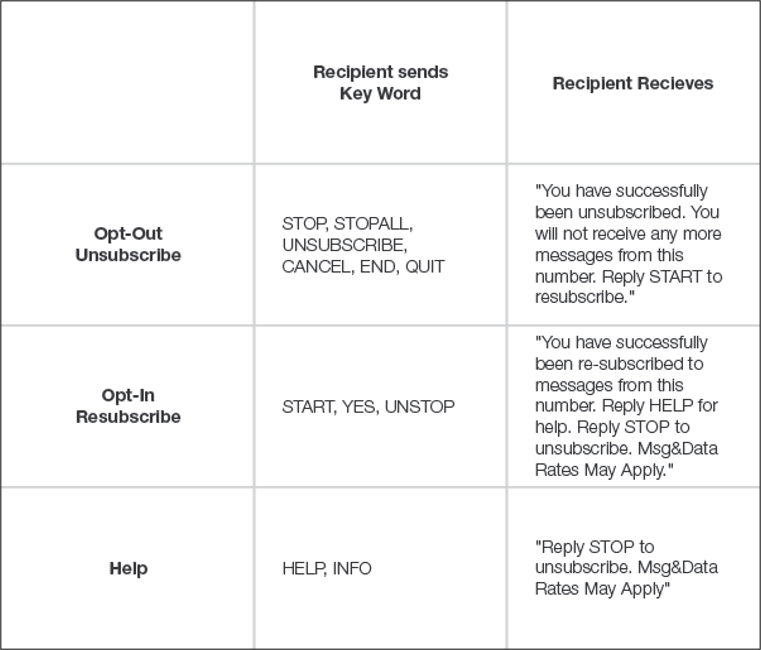
Here is a chart that displays the different responses that recipients will receive when they send Opt-In or Opt-Out keywords.
Comments
0 comments
Please sign in to leave a comment.